Tag Archives: 8bit

Project MSG – Early Development

This much delayed post was supposed to go up end of last month. Apologies for arriving late to the party but there were some business matters that required my attention. Now that I have more time available, blog updates will gradually normalize.

In this article I will focus exclusively on early development work done on Project MSG.  Anyone following this blog will already be aware that this project is a retro-style shooting game. Consisting of a cyberpunk theme and a 2D pixel art style with a top-down perspective.While this has intrigued some folks, no work in progress screens have been shown publicly – yet.

Today that will change. The very first shots will be revealed here, exclusively!

While I’ve mentioned this before, it bears repeating: Project MSG is a tentative title. The true name of the game will be revealed sometime before the actual release. Nevertheless I like setting the tone for the game, early on. I took the liberty of designing a logo even though it’s unlikely to find it’s way on to the Alpha.

The logo is shiny, futuristic with an obvious manga-esque influence – just how I like it. Expect the final logo to follow suit.
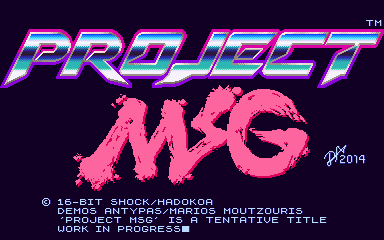
ProjectMSG_WorkingTitleScreen
Title screen used for internal development

Next in line is probably one of the most important screens. It’s something that players will not get to see but has been invaluable in developing the game. Making good use of display real estate was always going to be a top priority. Also taking into account the varying display sizes, resolutions and aspect ratios that both PC’s and iOS devices come with – this is a tricky proposition.

To retain an authentic retro/pixel art style it was glaringly obvious that the native resolution we should work with must be low. Ideally the resolution we were initially targeting was 320 x 240 pixels which was pretty much the standard for most 16-bit games. However, due to the prevalence of widescreen displays on the PC front that would cause some issues. As a resolution of 320 x 240 has an aspect ratio of 4:3 and the majority of widescreen displays are 16:9 with a few at 16:10.

In order to counter this problem some experimentation was needed, and an elegant solution to be found. Since the majority, if not all the tiles in the game would be at 16 x 16 pixels I decided that the play area had to conform to this. The integrity of the tiles were to be tested on a variety of display setups from crt monitors through to flat screen monitors and televisions. Last but not least, on iOS devices. 

The following screen was created to quickly and efficiently test this out. Our new ideal resolution was also discovered. Almost identical to Capcom’s CP System arcade boards (384 x 224) we went with a native resolution of 384 x 240 pixels. Through extensive testing we found that it works very well with a large variety of displays and aspect ratios, while still giving us a little extra space to work with. We reserved this area for the hud.
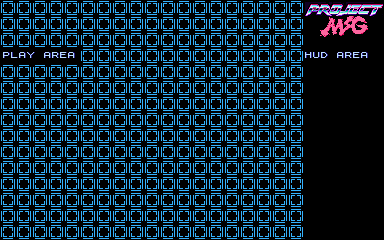
ProjectMSG_Prototype01_24Aug2014
Testing….testing

After we had that out of the way, it was time to start putting together our prototype. It wasn’t important to make anything fancy, just something that could be done rapidly but still be fun. An important choice that had to be made was whether to take the bullet hell route or go traditional. While I love bullet hell shmups and own a great deal of them, for a debut release I thought it would be best to go as old skool as possible.

The emphasis was now on enemy formations and less about filling the screen with bullets. It was also vital to ensure that the odds were clearly stacked against the player. While a 2-player option was seriously considered, single player was favoured to capture that more desperate hardcore climate. And also to give the player a strong sense of accomplishment once a stage is cleared.
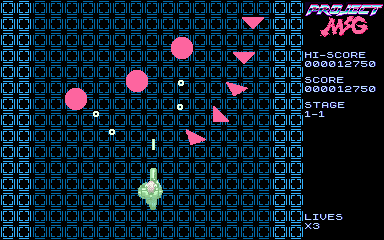
ProjectMSG_Prototype02_24Aug2014
Prototyping the cyborg shooting action!

Certainly, the prototype is not exactly great looking. It may exude some minimalist style but not even close to the desired art direction. I’ve always been a fan of detailed, crisp and colourful graphics. It would only be natural for me to push my pixels in that direction. Considering that our main character is a cyborg – and in turn the setting would take a techno-fetishistic tone.

It didn’t take too long for those tile maps to start taking form. Soon enough the backgrounds for the first stage were done and put in place. Time to animate our hero sprite and populate the screen with some proper enemies.
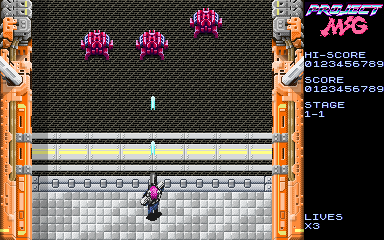
ProjectMSG_Stage1_1_24Aug2014
Shoot you before you shoot me 😛

As you’re reading this, development continues on this project. There will be more updates in the near future to keep you posted on how things are coming along. Till next time!


Looking Good

Nowadays we tend to refer to software as app(s) or application(s). Ditto for games or game software. Since I like to keep things retro, I will stick to software since it’s always been a perfectly good description.

My first home computer was an 8-bit microcomputer known as the Sinclair ZX Spectrum 48K. Yes, back in the early to mid 80’s computers would often be called micros or microcomputers. Later on PC or personal computer became the more popular term due to the rise of the IBM PC and compatible variants in the market.

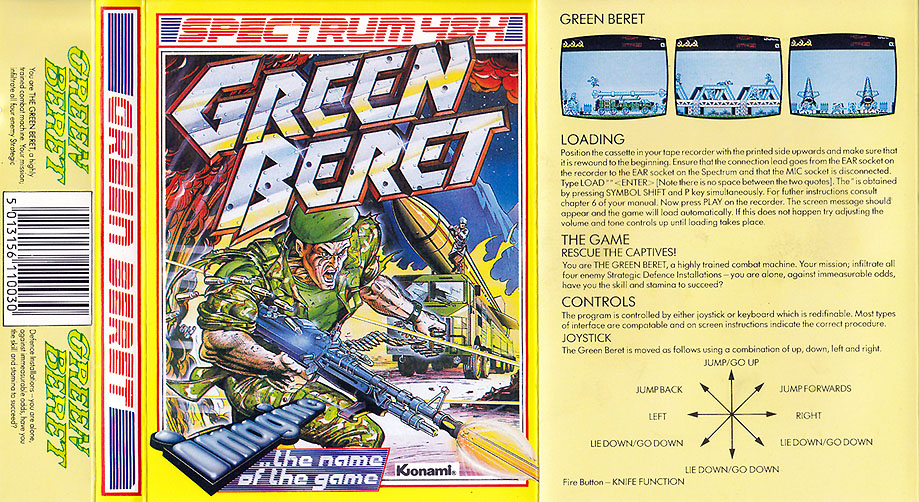
The ZX Spectrum was a great little machine but rather primitive, especially by today’s standards. Nevertheless it’s renowned for it’s huge game library with some timeless classics. But I’m not writing this post to reminiscence about any specific games for this computer. Instead I’m writing this to point out the care that publishers took at packaging their software. Particularly the sleeve artwork.

GreenBeret_ZXSpectrum
The starts were aligned…the badass sleeve art represented the actual game very well

Most of the software on the ZX Spectrum came on cassette tape, it was a cost-effective method that ensured that original games were cheap at retail. In many cases only a tenth of the price of a diskette based game for the PC or any of the 16-bit computers gradually appearing, during that period. It was not surprising the Spectrum was extremely popular among teenage boys who had only very limited pocket money to spend on games.

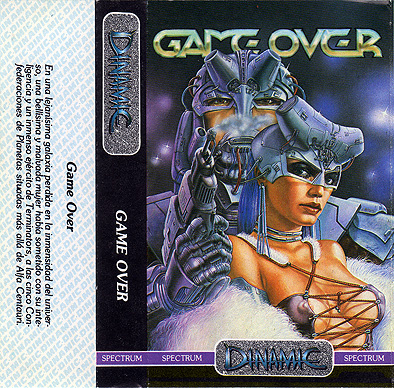
Publishers were well aware of this and were smart when commissioning artwork that would make it’s way on the cover of each game. Arcade ports were massively popular back in those days. Such action-heavy titles required artwork that would fit the bill. Fortunately, the quality of artwork was of a very high standard. Very little or no computer graphics were used.

Yes, those are airbrushed breasts…don’t fap

While awesome game cover art is still produced these days. I feel there is an over-reliance on CG-art and game logos are becoming bland, boring even. The examples shown here, both are stunningly illustrated with insanely cool logos. Compare these fine covers to most of the current gen games sitting on stores shelves and you will see the difference.


FM Synthesis & Video Games: Trackers

For this series of FM synthesis music I want to go into a fair bit of detail regarding FM synthesis. Especially experimenting with FM synthesisers to make retro music. However this slightly shorter article is going to give a quick overview of the most popular method for creating retro FM game music.

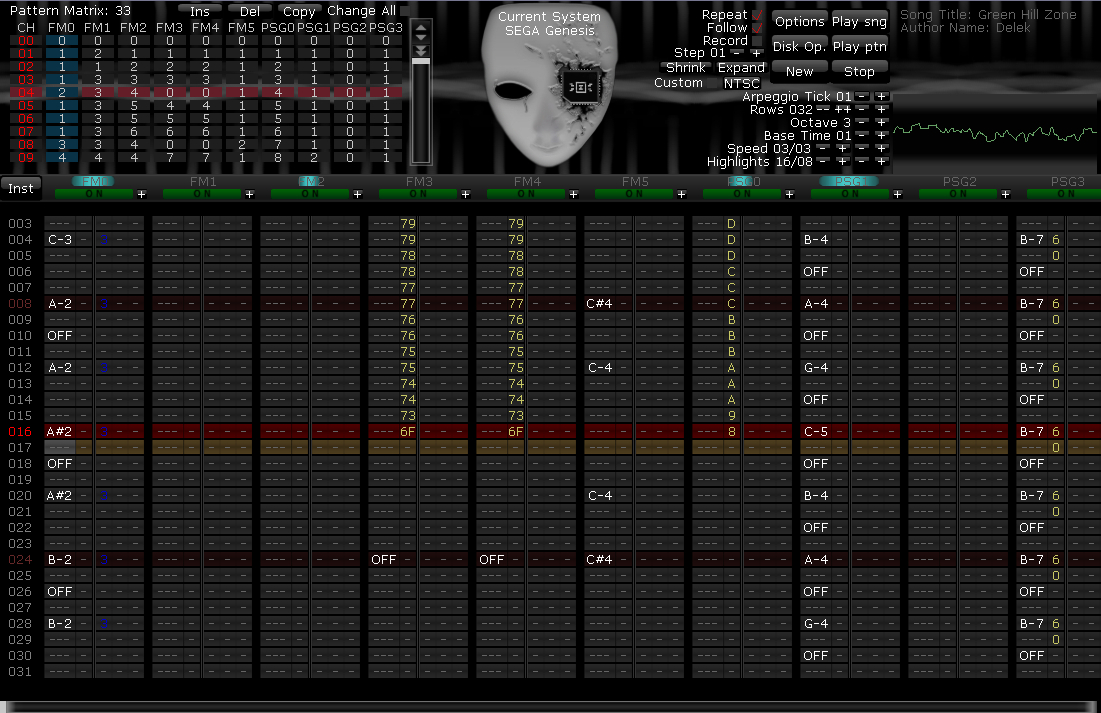
deflemask
DefleMask is one of the most versatile trackers for those seeking to emulate the sounds of Sega’s Master System & Mega Drive consoles

One of the most popular ways to make chiptune music in this day and age is utilising trackers. Trackers are in essence a simplified Digital Audio Workstation (DAW) which rather than being laid out horizontally, for instance how Logic, Ableton, Fruity Loops and other DAW’s are, they are laid out vertically. Typical to trackers are the six following areas:

– Channels (tracks) (these run vertically down and from left to right)

– Notes

– Patterns

– Samples

– Effects

– Orders

There’s some great written and video tutorials online which go in-depth about using trackers so I won’t go into detail here. But essentially trackers work by ordering samples which have been pitched by note value into patterns and orders on the channels. Effects are then used to further enhance the programmed material. Effects in trackers however aren’t the usual reverb, delay, chorus, etc. that you may find in a DAW. But rather ways to add variation to the programmed notes in terms of pitch, stereo positioning and volume. Such effects include Arpeggios, Vibrato, Portamento, Tremolo and Panning.

As mentioned in the previous article there are a number of classic audio chips out there that were used in gaming systems. One chip that was specifically mentioned was the Yamaha YM2612 which was used notably in the Sega Genesis and Megadrive systems. This chip, along with others, have support from such trackers as DefleMask. Meaning you can program audio for specific chips using these trackers.

For further reading (and viewing) I have included some links below of both trackers and tutorials on using them.

Trackers:

http://woolyss.com/chipmusic-chiptrackers.php

http://www.delek.com.ar/deflemask

http://www.milkytracker.org/

Tracker Tutorials:

DefleMask Tutorial 1: https://www.youtube.com/watch?v=eGCsrzaIFDE

Techniques Of Chipping: http://milkytracker.org/docs/Vhiiula-TechniquesOfChipping.txt

Making A Chiptune: https://www.youtube.com/watch?v=-TYyDLElP4c

Throughout my years studying music composition and production I have learnt how to program synthesizers for certain projects. As part of this it was a wise idea to learn how to program FM synthesisers. FM synthesis isn’t as easy to get to grips with as subtractive synthesis but it does reap rewards once learned. So throughout future articles, I will discuss how to program FM synthesisers. In discussion will be programming various sounds and how to get the synths sounding retro. Part of this will be covering numerous techniques of how to achieve the retro sound by means of modern effects such as bitcrushing. But we will also look into what else can be done to give the synthesizers and audio the retro game sound.

Joe Gilliver – BA Hons (Ocular Audio)

Composer | Producer | Sound Designer

www.ocularaudio.com